This page contains the defined functional and non-functional requirements of the TECHCUP Football Platform.
Functional requirements describe the system functionalities and services that must be provided to support tournament organization and participant interaction.
Non-functional requirements describe the quality attributes and architectural constraints that the TECHCUP system must satisfy in order to ensure reliability, security, and proper system operation.
Below is the list of all requirements classified according to their type.
Functional requirements list
| ID | Requirement name | Microservice |
|---|---|---|
| FR-01 | User registration | Identity |
| FR-02 | User authentication | Identity |
| FR-03 | Sports profile management | Users & Players |
| FR-04 | Player availability management | Users & Players |
| FR-05 | Team creation | Teams |
| FR-06 | Team configuration | Teams |
| FR-07 | Player search | Teams |
| FR-08 | Team invitation management | Teams |
| FR-09 | Team membership validation | Teams |
| FR-10 | Register Team in Tournament | Tournament |
| FR-10 | Payment receipt upload | Tournament |
| FR-11 | Payment validation | Tournament |
| FR-12 | Tournament creation | Tournament |
| FR-13 | Tournament configuration | Tournament |
| FR-14 | Tournament lifecycle management | Tournament |
| FR-15 | Tournament registration cancellation | Tournament |
| FR-16 | Team lineup management | Competition |
| FR-17 | Opponent lineup consultation | Competition |
| FR-18 | Match result registration | Competition |
| FR-19 | Match consultation for referees | Competition |
| FR-20 | Standings calculation | Competition |
| FR-21 | Knockout bracket generation | Competition |
| FR-22 | Tournament statistics consultation | Competition |
Non-functional requirements
| ID | Requirement Name |
|---|---|
| NFR-01 | Role-based access control |
| NFR-02 | Audit logging |
| NFR-03 | REST API architecture |
| NFR-04 | Layered backend architecture |
| NFR-05 | Web frontend technology |
| NFR-06 | Database technology |
| NFR-07 | Image storage technology |
| NFR-08 | System performance |
| NFR-09 | System availability |
| NFR-10 | System security |
FR-01 - User registration
| Field | Description |
|---|---|
| ID | FR-01 |
| Requirement name | User registration |
| Microservice | Identity |
| Description | The system must allow users to register using institutional email accounts (students, graduates, professors, administrative staff) or personal email accounts for family members. During registration, the system must capture: full name, email, password, relationship with the institution, academic program, semester (if student), date of birth, identification and type, and default status (active). |
| Preconditions | The user must belong to one of the allowed categories: student, graduate, professor, administrative staff member or family member. |
| Actor | Participant |
| Main flow | 1. The actor accesses the registration page. 2. The actor enters the required personal information. 3. The actor selects their role (player or guest) at registration time. 4. The system validates the email domain to determine the user type. 5. The system creates the user account with active status by default. |
| Use case diagram | 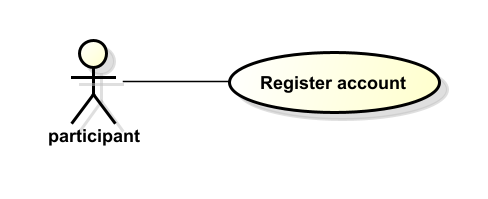 |
| Postconditions | The user account is created and the participant can access the system according to their assigned role. |
FR-02 - User authentication
| Field | Description |
|---|---|
| ID | FR-02 |
| Requirement name | User authentication |
| Microservice | Identity |
| Description | The system must allow registered users to authenticate using their email and password. Upon successful authentication, the system must generate a JWT token to allow access to the other services. Passwords must be stored encrypted. |
| Preconditions | The user must already be registered in the system and have valid login credentials. |
| Actor | Participant, Captain, Organizer, Referee, Administrator |
| Main flow | 1. The actor accesses the login page. 2. The actor enters their credentials. 3. The system validates the credentials and verifies the password hash. 4. The system generates a JWT token. 5. The system grants access according to the user’s role. |
| Use case diagram | 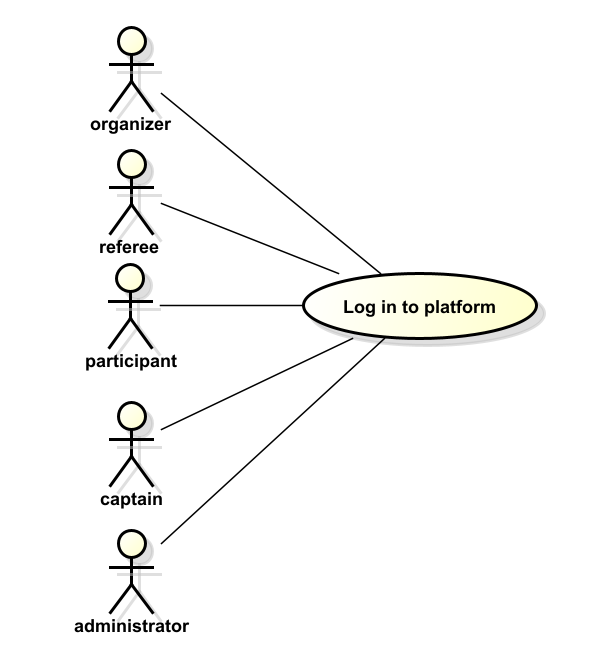 |
| Postconditions | The authenticated user gains access to the platform and can interact with the system according to their permissions. The session has an expiration time. |
FR-03 - Sports profile management
| Field | Description |
|---|---|
| ID | FR-03 |
| Requirement name | Sports profile management |
| Microservice | Users & Players |
| Description | The system must allow participants to create and update their sports profile, including playing position (goalkeeper, defender, midfielder, forward), jersey number, and profile photo. A sports profile cannot be deleted. Profile updates are only allowed when the player is not assigned to a team. |
| Preconditions | The participant must be authenticated in the system with the player role. |
| Actor | Participant |
| Main flow | 1. The participant accesses the profile management section. 2. The participant enters or updates sports profile information. 3. The system validates that the player is not currently assigned to a team (for updates). 4. The system stores the information. |
| Use case diagram | 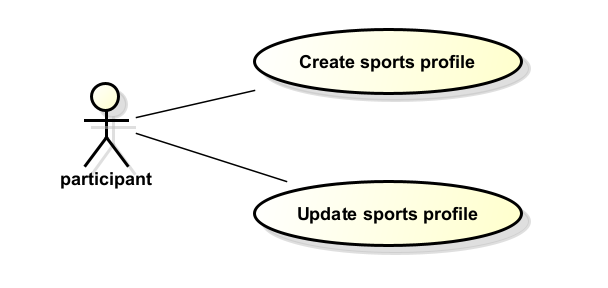 |
| Postconditions | The participant’s sports profile is stored and available for team captains to consult. |
FR-04 - Player availability management
| Field | Description |
|---|---|
| ID | FR-04 |
| Requirement name | Player availability management |
| Microservice | Users & Players |
| Description | The system must allow participants to indicate their availability to join a team so that captains can contact and recruit them. Players can send one team membership request at a time. |
| Preconditions | The participant must be authenticated and have a completed sports profile. |
| Actor | Participant |
| Main flow | 1. The participant accesses the availability settings. 2. The participant marks themselves as available for recruitment. 3. The system updates the availability status and makes the player discoverable by captains. |
| Use case diagram | 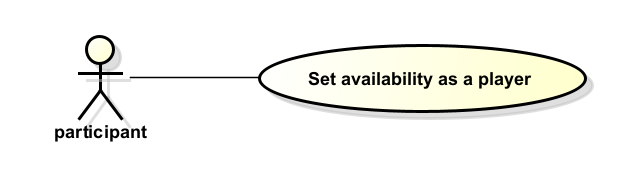 |
| Postconditions | The participant appears as available in player recruitment searches performed by captains. |
FR-05 - Team creation
| Field | Description |
|---|---|
| ID | FR-05 |
| Requirement name | Team creation |
| Microservice | Teams |
| Description | The system must allow a participant with the captain role to create a team by providing a name and team colors. The team must comply with: minimum 7 players, maximum 12 players, no duplicate jersey numbers, and more than half of its members must be from the Systems, AI, Cybersecurity, or Statistical Engineering programs. |
| Preconditions | The participant must be authenticated with the captain role assigned by the organizer. |
| Actor | Captain |
| Main flow | 1. The captain accesses the team creation interface. 2. The captain enters the required team information (name and colors). 3. The system validates the information and creates the team. 4. The captain becomes the team manager. |
| Use case diagram | 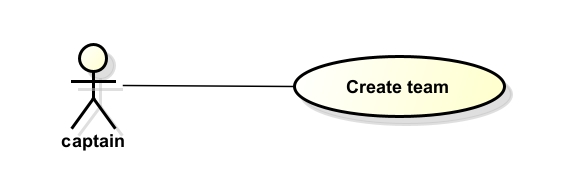 |
| Postconditions | A new team is created in the system and the captain can begin recruiting players. |
FR-06 - Team configuration
| Field | Description |
|---|---|
| ID | FR-06 |
| Requirement name | Team configuration |
| Microservice | Teams |
| Description | The system must allow captains to update their team name, as long as the team is not registered in an active or in-progress tournament. |
| Preconditions | The captain must have an existing team and be authenticated in the system. |
| Actor | Captain |
| Main flow | 1. The captain accesses the team configuration page. 2. The captain updates the team name. 3. The system validates that no active or in-progress tournament registration exists. 4. The system stores the updated information. |
| Use case diagram | 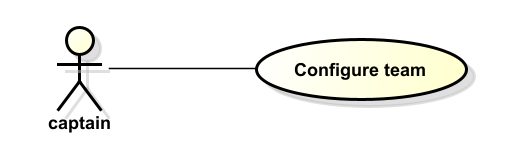 |
| Postconditions | The team information is updated and available to other participants in the platform. |
FR-07 - Player search
| Field | Description |
|---|---|
| ID | FR-07 |
| Requirement name | Player search |
| Microservice | Teams |
| Description | The system must allow captains to search for available participants using filters such as playing position, semester, age, gender, name, or identification number. |
| Preconditions | The captain must be authenticated and have a team created. |
| Actor | Captain |
| Main flow | 1. The captain accesses the player search interface. 2. The captain selects the desired search filters. 3. The system processes the query. 4. The system displays a list of matching available participants. |
| Use case diagram | 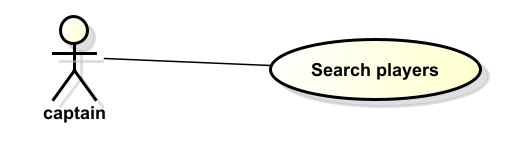 |
| Postconditions | The captain can view a list of participants matching the search criteria. |
FR-08 - Team invitation management
| Field | Description |
|---|---|
| ID | FR-08 |
| Requirement name | Team invitation management |
| Microservice | Teams |
| Description | The system must allow captains to send invitations to available participants. Captains can accept or reject membership requests sent by players. Players can accept or reject invitations sent by captains. |
| Preconditions | The captain must have a team created and the participant must be available for recruitment. |
| Actor | Captain, Participant |
| Main flow | 1. The captain selects a participant from the search results. 2. The captain sends an invitation to join the team. 3. The participant receives and reviews the invitation. 4. The participant accepts or rejects the invitation. 5. The system updates the team roster accordingly. |
| Use case diagram | 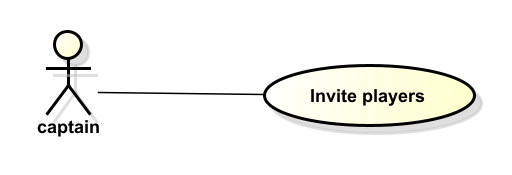 |
| Postconditions | If accepted, the participant becomes a member of the team. |
FR-09 - Team membership validation
| Field | Description |
|---|---|
| ID | FR-09 |
| Requirement name | Team membership validation |
| Microservice | Teams |
| Description | The system must validate that a participant belongs to only one team at a time, that the team roster stays within 7–12 players, that no two players share the same jersey number, and that more than half of the members belong to the allowed engineering programs. A player cannot be removed from a team if there is an active or in-progress tournament. |
| Preconditions | A participant attempts to join a team through an accepted invitation or membership request. |
| Actor | System |
| Main flow | 1. The participant accepts a team invitation. 2. The system verifies the participant does not already belong to another team. 3. The system validates roster size limits and jersey number uniqueness. 4. The system confirms or rejects the membership accordingly. |
| Use case diagram | 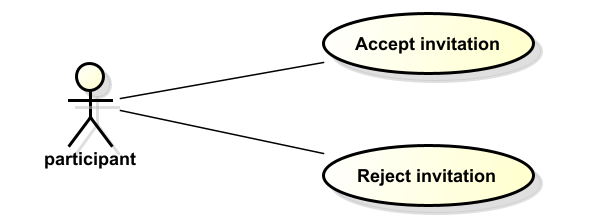 |
| Postconditions | The participant is successfully added to the team or the system prevents the action if validation rules are not met. |
## FR-10 - Register team in tournament
| Field | Description |
|——|————-|
| ID | US-07 |
| Title | Register team in tournament |
| Description | AS a captain I WANT to register my already-formed team in an active tournament by submitting a payment proof SO THAT the organizer can review and approve our participation. |
| Priority | High |
| Priority explanation| Team registration is the gateway to tournament participation: without approved registrations, no bracket or matches can be generated. |
| Related requirement(s) | FR-07 Team registration management |
| Requirement explanation | Registration management allows captains to enroll their teams in active tournaments and gives organizers full control over part/option through an approval workflow. |
| Acceptance criteria | - The captain can register a team only when the tournament is ACTIVE.
- The system rejects registration if the deadline has passed.
- The system prevents duplicate registrations for the same team.
- The system enforces the maximum team capacity per tournament.
- The organizer can approve or reject a pending registration.
- The captain can cancel the registration while UNDER REVIEW.
- All registration actions are recorded in the audit log. |
FR-10 - Payment receipt upload
| Field | Description |
|---|---|
| ID | FR-10 |
| Requirement name | Payment receipt upload |
| Microservice | Tournament |
| Description | The system must allow the captain to upload a payment proof image when registering the team for a tournament. Once uploaded, the inscription status is set to “Under review”. The captain may cancel the inscription only if it has not yet been approved or rejected. Payments are not processed within the platform. |
| Preconditions | The captain must have a team with the minimum number of players. The tournament must be in Active status and within the registration deadline. |
| Actor | Captain |
| Main flow | 1. The captain accesses the tournament registration section. 2. The captain selects the active tournament. 3. The captain uploads the payment receipt image. 4. The system validates the file format. 5. The system stores the receipt and sets the inscription status to “Under review”. |
| Use case diagram | 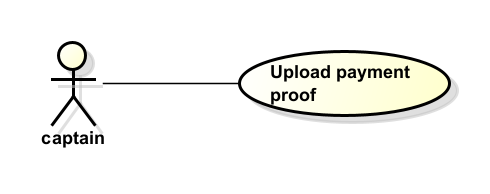 |
| Postconditions | The payment receipt is stored and the inscription awaits review by the tournament organizer. |
FR-11 - Payment validation
| Field | Description |
|---|---|
| ID | FR-11 |
| Requirement name | Payment validation |
| Microservice | Tournament |
| Description | The system must allow the organizer to review uploaded payment receipts and approve or reject them. Only teams with approved inscriptions may participate in the tournament. Possible inscription statuses are: Under review, Approved, Rejected, Cancelled. |
| Preconditions | A payment receipt must have been uploaded by a team captain and be in “Under review” status. |
| Actor | Organizer |
| Main flow | 1. The organizer accesses the payment review section. 2. The system displays the list of pending payment receipts. 3. The organizer selects a receipt and reviews the payment information. 4. The organizer approves or rejects the payment. 5. The system updates the inscription status and notifies the captain. |
| Use case diagram | 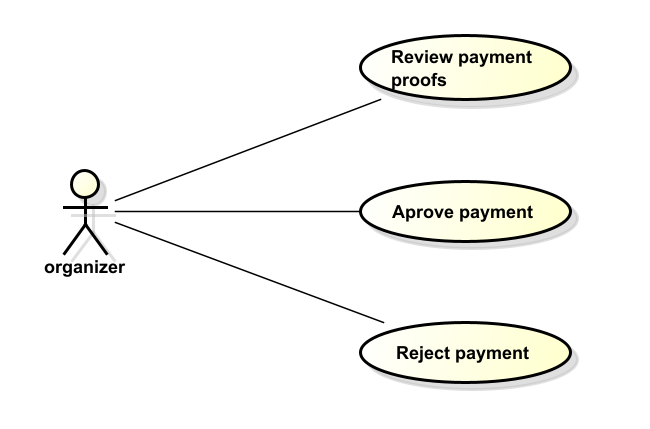 |
| Postconditions | The inscription status is updated. Only approved teams are eligible to participate in the tournament. |
FR-12 - Tournament creation
| Field | Description |
|---|---|
| ID | FR-12 |
| Requirement name | Tournament creation |
| Microservice | Tournament |
| Description | The system must allow the organizer to create a new tournament by providing: start date, end date, registration deadline, number of teams, cost, and status. The default status at creation is “Draft”. The organizer can delete the tournament only while it is in Draft status. |
| Preconditions | The organizer must be authenticated in the system. |
| Actor | Organizer |
| Main flow | 1. The organizer accesses the tournament management section. 2. The organizer selects the option to create a new tournament. 3. The organizer enters the required tournament information. 4. The system validates and stores the tournament with “Draft” status by default. |
| Use case diagram | 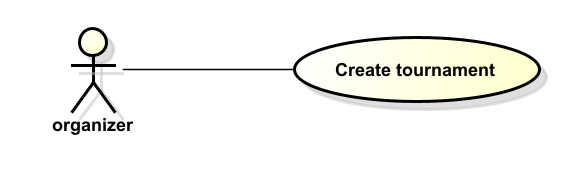 |
| Postconditions | A new tournament is created in Draft status and available for further configuration. |
FR-13 - Tournament configuration
| Field | Description |
|---|---|
| ID | FR-13 |
| Requirement name | Tournament configuration |
| Microservice | Tournament |
| Description | The system must allow the organizer to configure tournament parameters including: regulations (PDF document), and fields (each field has a name, image, and description). This configuration is part of completing the tournament before activation. |
| Preconditions | A tournament must already exist in Draft or Active status and the organizer must be authenticated. |
| Actor | Organizer |
| Main flow | 1. The organizer accesses the tournament configuration section. 2. The organizer selects the tournament to configure. 3. The organizer uploads the regulations PDF and adds field information. 4. The system validates and stores the configuration. |
| Use case diagram | 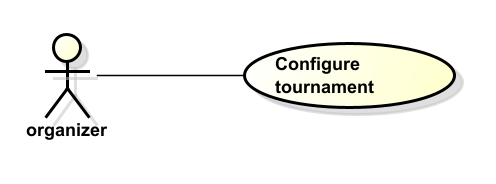 |
| Postconditions | The tournament regulations and fields are configured and visible to all users. |
FR-14 - Tournament lifecycle management
| Field | Description |
|---|---|
| ID | FR-14 |
| Requirement name | Tournament lifecycle management |
| Microservice | Tournament |
| Description | The system must allow the organizer to manage the full lifecycle of a tournament by transitioning between the following states: Draft → Active → In Progress → Finished. Rules: a tournament can be activated at any time from Draft; it can only be started if the current date equals the start date; it can only be finished if the current date is on or after the end date. |
| Preconditions | The organizer must be authenticated. The tournament must exist and meet the date conditions for each transition. |
| Actor | Organizer |
| Main flow | 1. The organizer accesses the tournament management section. 2. The organizer selects the tournament and triggers the desired status transition (Activate / Start / Finish). 3. The system validates the date conditions for the requested transition. 4. The system updates the tournament status. |
| Use case diagram | 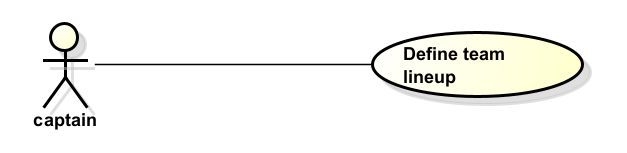 |
| Postconditions | The tournament status is updated. Teams can only register during Active status. Matches take place during In Progress status. |
FR-15 - Tournament registration cancellation
| Field | Description |
|---|---|
| ID | FR-15 |
| Requirement name | Tournament registration cancellation |
| Microservice | Tournament |
| Description | The system must allow a captain to cancel their team’s tournament inscription, provided the inscription has not yet been approved or rejected by the organizer. The inscription status will be updated to “Cancelled”. |
| Preconditions | The team must have an inscription in “Under review” status for an active tournament. |
| Actor | Captain |
| Main flow | 1. The captain accesses the tournament registration section. 2. The captain selects the active inscription. 3. The captain requests cancellation. 4. The system verifies the inscription status is still “Under review”. 5. The system updates the inscription status to “Cancelled”. |
| Use case diagram | 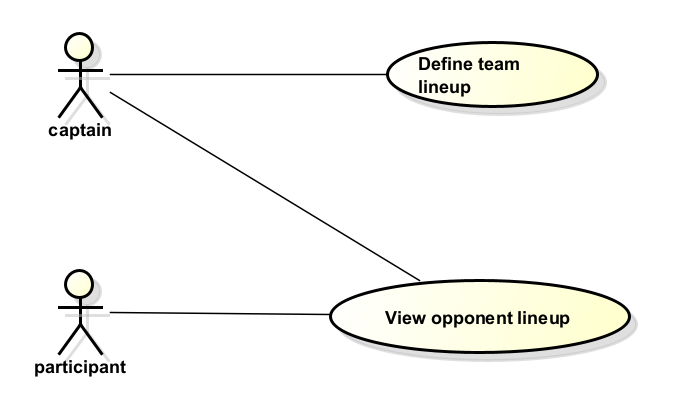 |
| Postconditions | The inscription is cancelled and the team is no longer registered for that tournament. |
FR-16 - Team lineup management
| Field | Description |
|---|---|
| ID | FR-16 |
| Requirement name | Team lineup management |
| Microservice | Competition |
| Description | The system must allow captains to define the lineup for each match, including starters, substitutes, and tactical formation. Available formations are: 3-2-1, 2-3-1, 4-1-1, and 1-3-2. The default formation is 2-3-1. Lineups can only be viewed by players and captains of the same team. |
| Preconditions | The captain must have a registered team participating in the tournament. A match must be scheduled. |
| Actor | Captain |
| Main flow | 1. The captain accesses the lineup management section. 2. The captain selects the upcoming match. 3. The captain assigns starters and substitutes and selects the formation. 4. The captain confirms the lineup. 5. The system stores the lineup information. |
| Use case diagram | 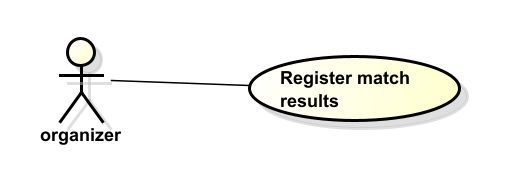 |
| Postconditions | The lineup for the selected match is registered and visible only to members of the same team. |
FR-17 - Opponent lineup consultation
| Field | Description |
|---|---|
| ID | FR-17 |
| Requirement name | Opponent lineup consultation |
| Microservice | Competition |
| Description | The system must allow participants and captains to view the lineup of their own team for a match. Lineups of the opposing team are not publicly visible to the other team. |
| Preconditions | The lineup must have been previously registered by the team captain. |
| Actor | Participant, Captain |
| Main flow | 1. The actor accesses the match information section. 2. The actor selects the match. 3. The system displays the lineup of the actor’s own team. |
| Use case diagram | 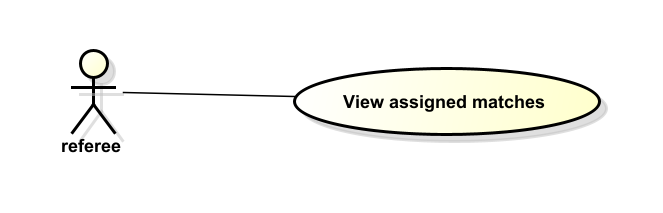 |
| Postconditions | The actor can view their team’s lineup for the selected match. |
FR-18 - Match result registration
| Field | Description |
|---|---|
| ID | FR-18 |
| Requirement name | Match result registration |
| Microservice | Competition |
| Description | The system must allow the organizer to register match results including: final score, goals (linked to the player who scored), yellow cards, and red cards. The organizer may also delete a match if teams are disqualified or do not show up. |
| Preconditions | The match must have been previously scheduled in the system and be in In Progress tournament status. |
| Actor | Organizer |
| Main flow | 1. The organizer accesses the match management section. 2. The organizer selects the completed match. 3. The organizer registers the score, scorers, yellow cards, and red cards. 4. The system stores the results and triggers automatic standings recalculation. |
| Use case diagram | 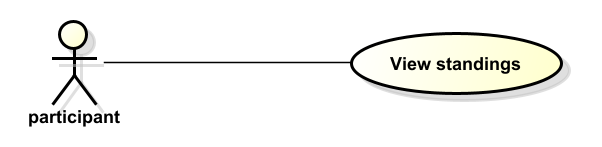 |
| Postconditions | The match results are recorded and the standings table is automatically updated. |
FR-19 - Match consultation for referees
| Field | Description |
|---|---|
| ID | FR-19 |
| Requirement name | Match consultation for referees |
| Microservice | Competition |
| Description | The system must allow referees to consult their assigned matches including: date, time, field, participating teams, and sanctioned players. |
| Preconditions | The referee must be authenticated. Matches must be scheduled and assigned to the referee. |
| Actor | Referee |
| Main flow | 1. The referee accesses the match consultation section. 2. The system displays only matches assigned to that referee. 3. The referee selects a match to view its details including sanctioned players. |
| Use case diagram | 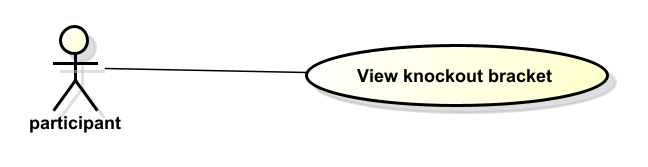 |
| Postconditions | The referee can view all relevant details of their assigned matches. |
FR-20 - Standings calculation
| Field | Description |
|---|---|
| ID | FR-20 |
| Requirement name | Standings calculation |
| Microservice | Competition |
| Description | The system must automatically calculate and display tournament standings per team after each match result is registered. Statistics include: matches played, wins, draws, losses, goals for, goals against, goal difference, and points. All users can view standings. |
| Preconditions | Match results must have been registered in the system. |
| Actor | System |
| Main flow | 1. A match result is registered. 2. The system recalculates statistics for the involved teams. 3. The system updates the standings table automatically. |
| Use case diagram | 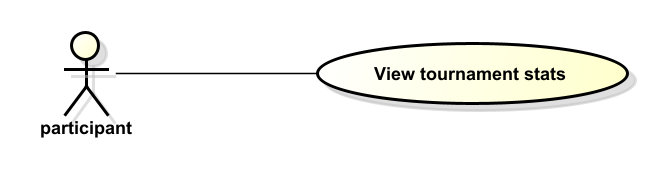 |
| Postconditions | The standings table reflects the latest match results and is visible to all users. |
FR-21 - Knockout bracket generation
| Field | Description |
|---|---|
| ID | FR-21 |
| Requirement name | Knockout bracket generation |
| Microservice | Competition |
| Description | The system must automatically generate the knockout stage brackets including quarterfinals, semifinals, and the final. Initial matches are generated randomly. All users can view bracket information. |
| Preconditions | Approved teams must be registered in the tournament. The group stage must be completed and standings must be available. |
| Actor | System |
| Main flow | 1. The system identifies the approved and qualified teams. 2. The system randomly generates the initial bracket matchups. 3. The system schedules quarterfinal, semifinal, and final matches. 4. Results update the bracket automatically as matches are played. |
| Use case diagram | 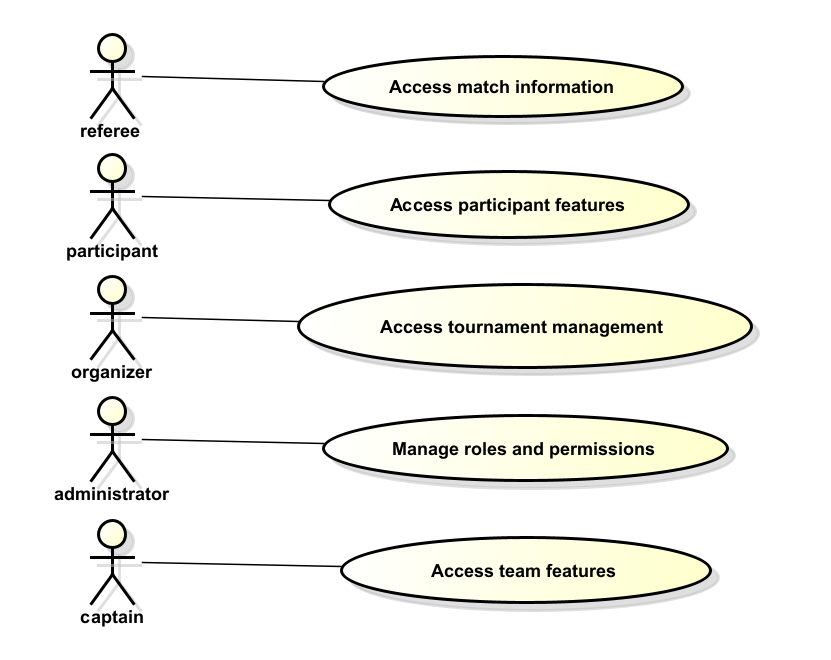 |
| Postconditions | The knockout stage structure is created and visible to all users. |
FR-22 - Tournament statistics consultation
| Field | Description |
|---|---|
| ID | FR-22 |
| Requirement name | Tournament statistics consultation |
| Microservice | Competition |
| Description | The system must allow all users to consult general tournament statistics including: top scorers, match history, and team performance results. |
| Preconditions | Match results and statistics must be available in the system. |
| Actor | All users |
| Main flow | 1. The actor accesses the statistics section. 2. The actor selects the desired statistics category (top scorers, match history, team results). 3. The system retrieves and displays the statistics. |
| Use case diagram | 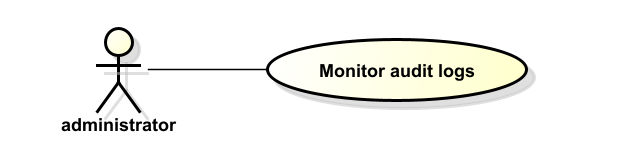 |
| Postconditions | The requested tournament statistics are displayed to the user. |
FR-23 - User logout
| Field | Description |
|---|---|
| ID | FR-23 |
| Requirement name | User logout |
| Microservice | Identity |
| Description | The system must allow authenticated users to securely log out from the platform. Upon logout, the system must invalidate the session on the client side and register the logout event in the audit log. |
| Preconditions | The user must be authenticated with a valid JWT token. |
| Actor | Participant, Captain, Organizer, Referee, Administrator |
| Main flow | 1. The actor selects the logout option. 2. The system registers the logout action in the audit log. 3. The frontend removes the stored JWT token. 4. The user is redirected to the login page. |
| Use case diagram | Not applicable for this requirement. |
| Postconditions | The user session is terminated and protected resources cannot be accessed without re-authentication. |
FR-24 - Authenticated user consultation
| Field | Description |
|---|---|
| ID | FR-24 |
| Requirement name | Authenticated user consultation |
| Microservice | Identity |
| Description | The system must allow authenticated users to consult their own identity information (email and role) using a protected endpoint. This functionality is used by the frontend to restore sessions after page reload. |
| Preconditions | The user must be authenticated with a valid JWT token. |
| Actor | Participant, Captain, Organizer, Referee, Administrator |
| Main flow | 1. The actor sends a request to the protected endpoint. 2. The API Gateway validates the JWT token. 3. The Identity service extracts the user information from the token. 4. The system returns the authenticated user’s identity data. |
| Use case diagram | Not applicable for this requirement. |
| Postconditions | The authenticated user information is returned securely. |
FR-25 - Role management by administrator
| Field | Description |
|---|---|
| ID | FR-25 |
| Requirement name | Role management by administrator |
| Microservice | Identity |
| Description | The system must allow administrators to update the role assigned to a user. The administrator may assign or change roles except the administrator role itself, which cannot be granted dynamically. |
| Preconditions | The administrator must be authenticated. The target user must exist in the system. |
| Actor | Administrator |
| Main flow | 1. The administrator accesses the user management section. 2. The administrator selects a user. 3. The administrator assigns a new role. 4. The system validates role change permissions. 5. The system updates the user’s role and registers the action in the audit log. |
| Use case diagram | Not applicable for this requirement. |
| Postconditions | The user’s role is updated according to administrator permissions. |
NFR-01 - Role-based access control
| Field | Description |
|---|---|
| ID | NFR-01 |
| Requirement Name | Role-based access control |
| Description | The system must enforce role-based access control (RBAC) to ensure that users can only access functionalities permitted by their role. Roles include: guest, player, captain, organizer, referee, and administrator. The administrator can assign, remove, and consult any user’s role. The organizer cannot escalate any user to administrator. |
| Preconditions | Users must be authenticated in the system. |
| Actor | Administrator |
| Main Flow | 1. A user attempts to access a system function. 2. The system verifies the user’s role via the JWT token. 3. The system checks whether the role has permission for the requested action. 4. The system allows or denies access accordingly. |
| Use Case Diagram | |
| Postconditions | System access is restricted according to the permissions assigned to each role. |
NFR-02 - Audit logging
| Field | Description |
|---|---|
| ID | NFR-02 |
| Requirement Name | Audit logging |
| Description | The system must maintain audit logs of relevant actions across all microservices. Actions to be logged include: login, logout, user registration, profile updates, team creation/update/inactivation, tournament creation/update/inactivation, inscription changes, and match creation/update/deletion. |
| Preconditions | Users must be interacting with the platform. |
| Actor | Administrator |
| Main Flow | 1. A user performs an auditable action within the system. 2. The system records the action, timestamp, and user in the audit log. 3. The administrator can consult the recorded logs. |
| Use Case Diagram | |
| Postconditions | Relevant system actions are recorded and available for administrative monitoring and security review. |
NFR-03 - REST API architecture
| Field | Description |
|---|---|
| ID | NFR-03 |
| Requirement Name | REST API architecture |
| Description | The backend of the system must expose its functionality through a REST API implemented with Spring Boot to enable communication between the frontend, the API Gateway (Orchestrator), and the microservices. |
| Preconditions | The system backend must be deployed and available. |
| Actor | System |
| Main Flow | 1. The frontend sends a request to the API Gateway. 2. The gateway routes the request to the appropriate microservice. 3. The microservice processes the request and returns a response. |
| Use Case Diagram | Not applicable for this requirement. |
| Postconditions | System services are accessible through RESTful endpoints via the orchestrator. |
NFR-04 - Layered backend architecture
| Field | Description |
|---|---|
| ID | NFR-04 |
| Requirement Name | Layered backend architecture |
| Description | Each microservice backend must follow a layered architecture separating: controllers, adapters, business logic, and data access components. Design patterns must be applied where appropriate. |
| Preconditions | The system architecture must be defined and agreed upon by all teams. |
| Actor | System |
| Main Flow | 1. The system receives a request through the controller layer. 2. The business logic layer handles the operation. 3. The data layer stores or retrieves information from the database. |
| Use Case Diagram | Not applicable for this requirement. |
| Postconditions | System components interact through well-defined architectural layers, promoting maintainability and separation of concerns. |
NFR-05 - Web frontend technology
| Field | Description |
|---|---|
| ID | NFR-05 |
| Requirement Name | Web frontend technology |
| Description | The frontend must be implemented as a web application using React and TypeScript. |
| Preconditions | Frontend development environment must be configured. |
| Actor | System |
| Main Flow | 1. The user accesses the web platform. 2. The React/TypeScript application renders the interface. 3. The frontend communicates with the backend through the API Gateway. |
| Use Case Diagram | Not applicable for this requirement. |
| Postconditions | Users interact with the system through a responsive web-based interface. |
NFR-06 - Database technology
| Field | Description |
|---|---|
| ID | NFR-06 |
| Requirement Name | Database technology |
| Description | The system must use PostgreSQL as the primary relational database management system for persistent data storage across microservices. |
| Preconditions | The database service must be available and configured per microservice. |
| Actor | System |
| Main Flow | 1. The system receives a request to store or retrieve data. 2. The backend microservice communicates with its PostgreSQL instance. 3. The database returns the requested information. |
| Use Case Diagram | Not applicable for this requirement. |
| Postconditions | System data is persistently stored and retrievable through structured relational queries. |
NFR-07 - Image storage technology
| Field | Description |
|---|---|
| ID | NFR-07 |
| Requirement Name | Image storage technology |
| Description | The system must use MongoDB for storing images, including player profile photos, payment receipt images, team crests, and field images associated with tournaments. |
| Preconditions | The MongoDB service must be available and configured. |
| Actor | System |
| Main Flow | 1. A user uploads an image through the platform. 2. The backend stores the image in MongoDB. 3. The system retrieves and serves the image when requested. |
| Use Case Diagram | Not applicable for this requirement. |
| Postconditions | Images are persistently stored and accessible through the platform. |
NFR-08 - System performance
| Field | Description |
|---|---|
| ID | NFR-08 |
| Requirement Name | System performance |
| Description | The system must process user requests efficiently and return responses within an acceptable time limit under normal operating conditions, particularly during peak usage periods such as registration deadlines and match days. |
| Preconditions | The system is running and receiving requests from users. |
| Actor | System |
| Main Flow | 1. A user performs an action on the platform. 2. The system processes the request through the API Gateway and microservices. 3. The system returns a response to the user interface within the defined response time. |
| Use Case Diagram | Not applicable for this requirement. |
| Postconditions | User requests are processed and responses are delivered without noticeable delay. |
NFR-09 - System availability
| Field | Description |
|---|---|
| ID | NFR-09 |
| Requirement Name | System availability |
| Description | The system must remain available for users during the tournament registration and operation periods, including registration deadlines and match scheduling windows. |
| Preconditions | The system infrastructure must be deployed and operational. |
| Actor | System |
| Main Flow | 1. Users access the platform. 2. The system processes requests continuously during operational hours. 3. The system remains accessible without unexpected interruptions. |
| Use Case Diagram | Not applicable for this requirement. |
| Postconditions | Users can access the platform whenever the system is expected to be operational. |
NFR-10 - System security
| Field | Description |
|---|---|
| ID | NFR-10 |
| Requirement Name | System security |
| Description | The system must protect user information and resources by enforcing: JWT-based authentication with token expiration, encrypted password storage, role-based authorization, and request validation at the API Gateway level. Institutional email authentication applies to students, graduates, professors, and administrative staff. Personal email authentication applies to family members. |
| Preconditions | Users must attempt to access protected resources within the platform. |
| Actor | System |
| Main Flow | 1. A user attempts to access a system resource. 2. The API Gateway validates the JWT token (format and expiration). 3. The Identity service checks the user’s role and permissions. 4. The system allows or denies access accordingly. |
| Use Case Diagram | Not applicable for this requirement. |
| Postconditions | System resources remain protected and only authorized users can access restricted functionalities. |
NFR-11 - JWT token management
| Field | Description |
|---|---|
| ID | NFR-11 |
| Requirement Name | JWT token management |
| Description | The system must use JWT tokens for stateless authentication. Tokens must include user email, role, and expiration time. Tokens must be validated at the API Gateway before forwarding requests to microservices. |
| Preconditions | Users must be authenticated and possess a valid JWT token. |
| Actor | System |
| Main Flow | 1. A user authenticates successfully. 2. The Identity service generates a signed JWT token. 3. The frontend stores the token securely. 4. The API Gateway validates the token for every protected request. |
| Use Case Diagram | Not applicable for this requirement. |
| Postconditions | Authentication is stateless and secure across microservices. |
NFR-12 - API Gateway routing and validation
| Field | Description |
|---|---|
| ID | NFR-12 |
| Requirement Name | API Gateway routing and validation |
| Description | The system must centralize all external access through an API Gateway (Orchestrator). The gateway must route requests to the appropriate microservice and validate JWT tokens before granting access to protected endpoints. |
| Preconditions | The API Gateway must be deployed and configured. |
| Actor | System |
| Main Flow | 1. The frontend sends a request to the API Gateway. 2. The gateway determines whether the endpoint is public or protected. 3. If protected, the gateway validates the JWT token. 4. The gateway forwards the request to the corresponding microservice. |
| Use Case Diagram | Not applicable for this requirement. |
| Postconditions | All microservices are protected and accessed only through the gateway. |
NFR-13 - Health monitoring endpoint
| Field | Description |
|---|---|
| ID | NFR-13 |
| Requirement Name | Health monitoring endpoint |
| Description | Each microservice must expose a health check endpoint to allow infrastructure monitoring tools to verify service availability and operational status. |
| Preconditions | The microservice must be deployed. |
| Actor | System |
| Main Flow | 1. A monitoring service sends a request to the health endpoint. 2. The microservice evaluates its internal status. 3. The system returns an HTTP status indicating service health. |
| Use Case Diagram | Not applicable for this requirement. |
| Postconditions | Service availability can be monitored automatically. |
NFR-14 - Continuous integration and automated testing
| Field | Description |
|---|---|
| ID | NFR-14 |
| Requirement Name | Continuous integration and automated testing |
| Description | The system must implement automated unit and integration testing with continuous integration pipelines to ensure code quality and prevent regression errors during development. |
| Preconditions | The source code must be stored in a version control repository. |
| Actor | System |
| Main Flow | 1. A developer pushes code to the repository. 2. The CI pipeline executes automated tests. 3. The system reports build and test results. |
| Use Case Diagram | Not applicable for this requirement. |
| Postconditions | Code changes are validated automatically before deployment. |